Chyrp Lite
Introduction
Chyrp Lite is an ultra-lightweight blogging engine written in PHP.
Prerequisites and assumptions
The following are the minimum requirements for using this procedure:
- The ability to run commands as the root user or use
sudoto elevate privileges - Familiarity with a command-line editor. The author is using
viorvimhere, but substitute in your favorite editor
Installing Caddy
We will use Caddy as the web server. To install Caddy, you need first to install the EPEL (Extra Packages for Enterprise Linux) and run updates:
sudo dnf -y install epel-release
Then install Caddy:
sudo dnf copr enable @caddy/caddy
Perform an upgrade to ensure the latest packages are on your system:
sudo dnf upgrade
Subsequently, open the Caddyfile:
vi /etc/caddy/Caddyfile
Add the following to your Caddyfile:
your.domain.name {
        root * /var/www/chyrp-lite
        file_server
        php_fastcgi 127.0.0.1:9000
}
For incus containers
While this procedure works perfectly fine in an incus container, incus does not come with the firewall enabled. You can install and use firewalld on a container, it just is not there by default. If you want to apply the firewall rules to your container, something that might be very important if you are using a public domain, then just be aware that you will have to install:
sudo dnf install firewalld
and enable:
sudo systemctl enable --now firewalld
Before continuing this procedure.
Save the file with :wq! and then open the corresponding firewall ports:
sudo firewall-cmd --permanent --zone=public --add-service=http
sudo firewall-cmd --permanent --zone=public --add-service=https
sudo firewall-cmd --reload
Finally, start Caddy:
systemctl enable --now caddy
Installing PHP
Note
If you are running Rocky Linux 8.x or 9.x, substitute "8" or "9" next to the release in the Remi package install line.
To install PHP, you will need the Remi repository. To install the Remi repository, run the following:
dnf install https://rpms.remirepo.net/enterprise/remi-release-10.rpm
Then install PHP and the required modules:
dnf install -y php83-php php83-php-session php83-php-json php83-php-ctype php83-php-filter php83-php-libxml php83-php-simplexml php83-php-mbstring php83-php-pdo php83-php-curl
Next, open the PHP configuration file:
vi /etc/opt/remi/php83/php-fpm.d/www.conf
Go down to the listen = line and set it to the following:
listen = 127.0.0.1:9000
Exit vi with :wq! and enable PHP:
systemctl enable --now php83-php-fpm.service
Installing Chyrp
Install chyrp-lite by first going to the release page.
Copy the URL for the latest release, by right-clicking on the source.zip file, and copying the link.
Change to the /var/www directory:
cd /var/www
Paste the URL you copied for the source.zip file of the latest release into wget:
wget [URL you copied]
Next, decompress and move the extracted folder:
unzip v2026.01.zip
mv chyrp-lite-2026.01/ chyrp-lite
Set the correct permissions on the chyrp-lite folder:
chown -R apache:apache chyrp-lite/
Set up a data directory for storing the SQLite database:
mkdir chyrp-lite-data
chown -R apache:apache chyrp-lite-data/
For incus container installs, you can skip the SELinux steps. SELinux does not exist in an incus container, nor is it supported.
Next, set up the SELinux file contexts:
semanage fcontext -a -t httpd_sys_rw_content_t "/var/www/chyrp-lite(/.*)?"
semanage fcontext -a -t httpd_sys_rw_content_t "/var/www/chyrp-lite-data(/.*)?"
restorecon -Rv /var/www/chyrp-lite
restorecon -Rv /var/www/chyrp-lite-data
On a client machine, open up a web browser to https://example.com/install.php and run the installation program (replace example.com with your actual domain name or hostname):
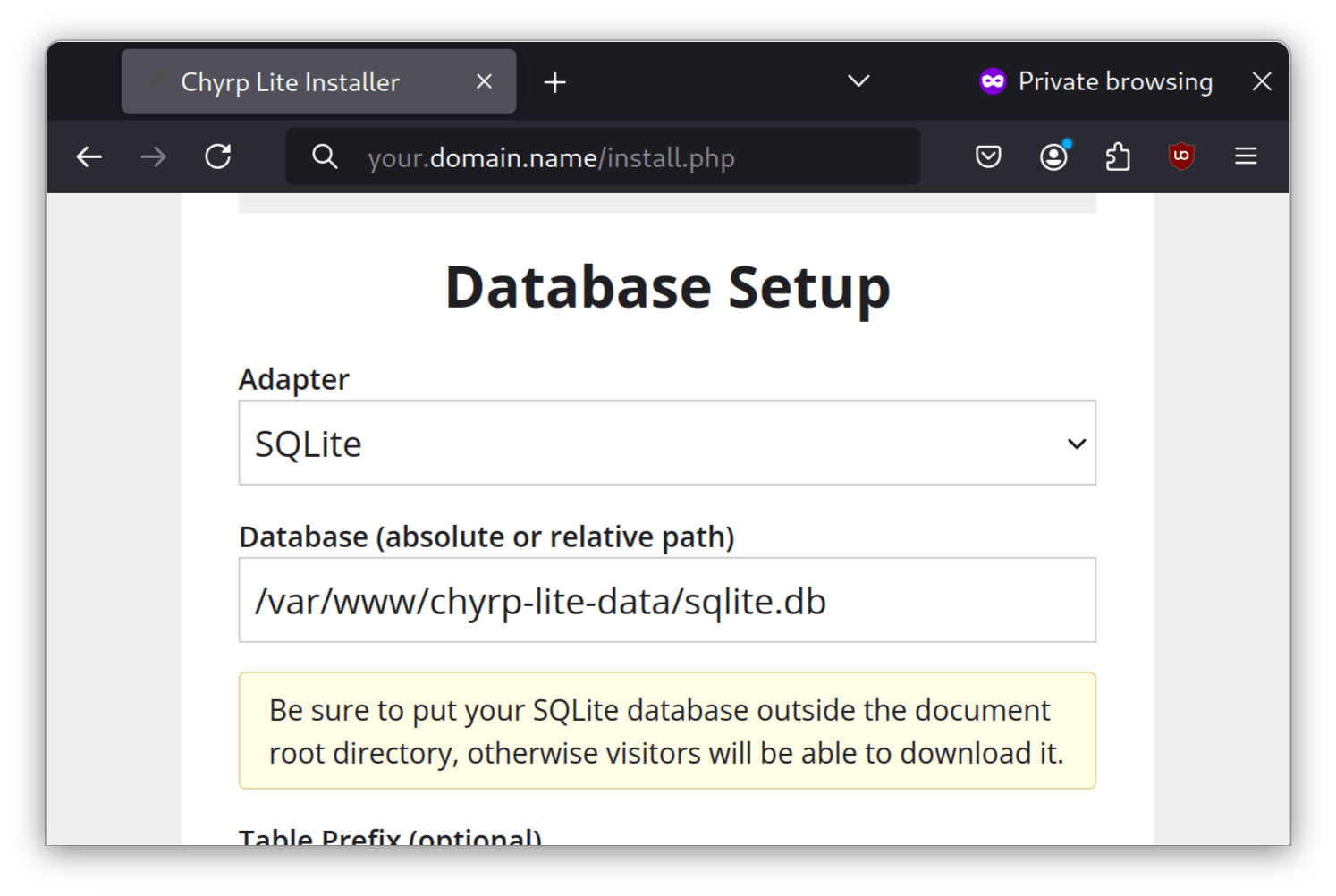
In the Database section, select a pathname in the chyrp-lite-data directory made earlier, such as /var/www/chyrp-lite-data/sqlite.db.
Then, complete the other fields, which should be self-explanatory.
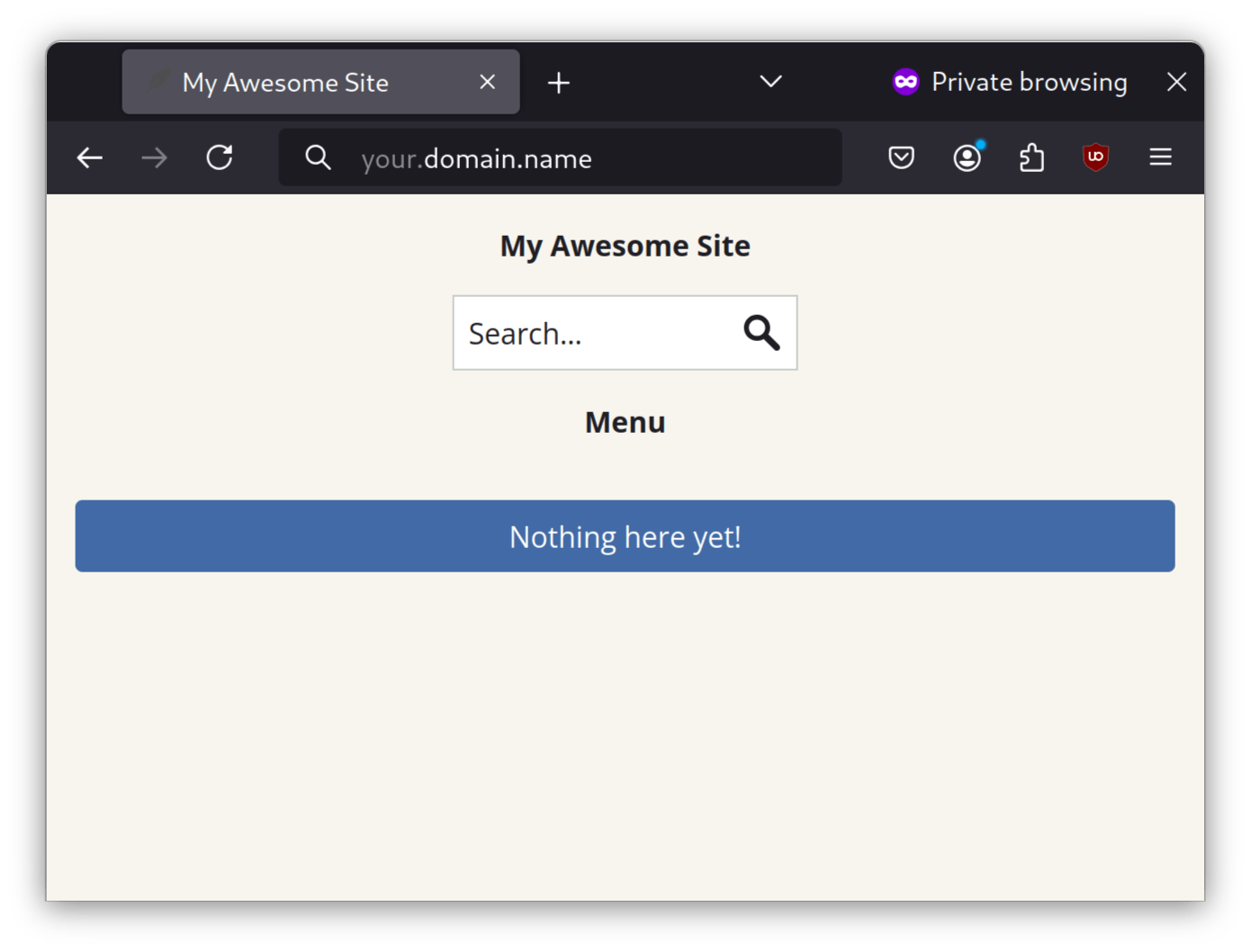
Next, click Install me and then Take me to my site. You should now be able to visit a completed installation of your Chyrp site:
Conclusion
Considering that WordPress has evolved into a Swiss army knife of web development, it is not surprising some webmasters (the author included) would prefer a lightweight blogging engine. Chyrp Lite is perfect for those users.
Author: Neel Chauhan
Contributors: Steven Spencer, Ganna Zhyrnova